
Clarifind
RomanceDawn LtdLifestyle
3.739.00 Reviews
- Version
- 3.4.7
- Installs
- 50.00K
- Age Rating
- Everyone
Screenshots


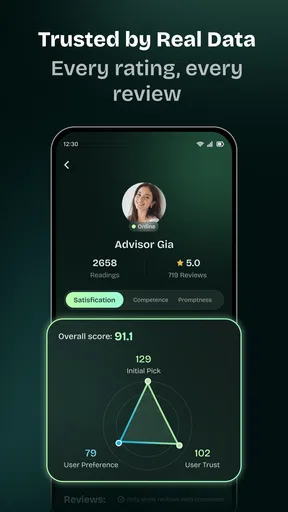

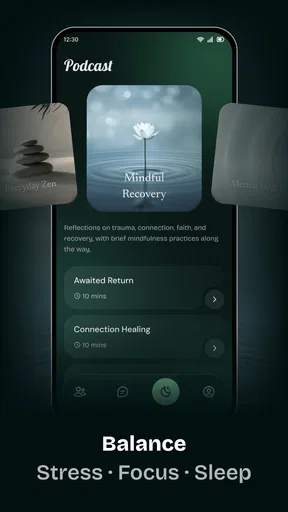
Our Review of Clarifind
 Analysis by Appyee
So, I recently got my hands on Clarifind, an app that promises to be your ultimate guide for decision-making. If you’re anything like me, you probably spend way too much time pondering choices—whether it’s what to watch, where to eat, or which new tech gadget to buy. Let me walk you through my experience with this intriguing app and see if it really delivers on its promise.
When a household needs one more opinion
I can see this lifestyle app being most useful when a household is stuck between a few ordinary options rather than facing a major life decision. Picture two people trying to choose dinner after a long day: one wants something quick, the other wants a meal that feels a little different. Clarifind can give the discussion a starting point by letting people consider preferences and priorities instead of cycling through the same suggestions.
That kind of use works best when everyone treats the result as a prompt, not a verdict. A recommendation can help break a tie, but it cannot know that someone has had the same meal twice this week or that a plan no longer suits the evening. I would use it to get unstuck, then make the final call together.
Keeping shared use comfortable
On a shared phone or tablet, I would be deliberate about whose preferences are being entered. A device used by several people can easily blur individual tastes, so it is worth agreeing whether the app is being used for one person’s choices or as a group conversation. If different household members take turns, I would avoid treating a single set of preferences as a complete picture of everyone.
This matters particularly when a recommendation depends on personal priorities. Someone choosing a film for themselves may care most about genre, while a group may be trying to find something suitable for different ages and moods. A quick verbal check before accepting a suggestion is a simple way to prevent a personalized result from being mistaken for a household consensus.
Coordination without turning it into another chore
Clarifind’s decision prompts and notifications may help when a choice has been left hanging, but reminders are useful only if they fit the household’s habits. I would keep them focused on decisions that genuinely need a follow-up and adjust notification settings if they become distracting. A nudge should bring the question back to mind, not create pressure to settle every small preference immediately.
For a shared plan, one practical approach is to use the app to narrow the options, then confirm the choice in the conversation where everyone already coordinates. That avoids assuming that a recommendation has automatically reached every person involved. It also gives people a chance to raise a constraint—such as timing or a change of mood—that a preference-based suggestion may not capture.
Age, trust, and the limits of a suggestion
The app is rated for Everyone, which makes its general audience broad, but I would still use ordinary judgement around children and shared devices. An age rating is not a substitute for discussing what information a person chooses to enter or how much weight they should give an app’s advice. For family decisions, I would keep an adult involved when the choice has consequences beyond picking an activity or meal.
Community Insights and voting can offer a useful sense of what other users are considering, but popularity is not the same as suitability. A trend may reflect broad tastes rather than what works for a particular household. I find those signals most helpful as a source of ideas, not as proof that a choice is right or that everyone will enjoy it.
First Impressions
When I first launched Clarifind, I was greeted by a sleek and intuitive interface. It felt like the designers really put effort into making it user-friendly. The colors are easy on the eyes, and navigating through the app was a breeze. I didn’t need a tutorial to figure things out, which is always a plus in my book.
The Setup Process
Setting up was straightforward. The app asked me to input a few personal preferences to tailor the suggestions better. It’s like having a mini interview about my likes and dislikes, which I found both engaging and insightful. This part also made me curious about how personalized the recommendations would actually be.
For household use, I would answer those preference questions with the intended decision-maker in mind. If I am setting up for my own choices, I would give it my genuine tastes rather than trying to anticipate what friends or family might like. If I am using it to help a group, I would treat the setup as one person’s starting point and ask the others what matters to them before relying on the result.
Features Galore
Here’s where Clarifind really shines. It offers a variety of features designed to help you make decisions quickly and efficiently. You can search through different categories like food, movies, and even lifestyle choices. There’s also a nifty feature where you can set priorities, so the app knows what matters most to you. It felt like having a personal assistant in my pocket.
The priority setting is most useful when I use it to distinguish a real requirement from a preference. For dinner, for instance, “quick” might matter more than “new,” while for a weekend activity the order could be reversed. Thinking through that order before searching helps me judge whether a suggestion fits, rather than assuming that a result is automatically good just because it appears near the top.
What stood out to me was the Community Insights feature. You can see what others are deciding and even contribute your two cents. It’s like being part of a collective hive mind, which is both weird and wonderful. The app also has a voting system where you can see what’s trending among users, providing a broader perspective on popular choices.
I would use the community view when I need inspiration outside my usual habits, not when I need a precise answer. A popular choice can be a useful way to discover an option I had not considered, but it may not reflect a household’s budget, schedule, or individual tastes. Comparing a community suggestion with the priorities I set is a better check than following the trend by default.
Performance and Usability
In terms of performance, the app is smooth and responsive. I didn’t experience any lags or crashes, which is crucial for maintaining the flow of decision-making. The search functionality is fast, and results are presented in a clear, concise manner.
That straightforward flow makes it easier to use for a small, immediate question than for a long planning session. I would open it when I already know the general kind of choice I need to make, such as picking a meal or an activity, rather than expecting it to organize a complicated family schedule. Its strength is helping with the decision itself; the conversation and logistics still belong to the people involved.
One of the things I really appreciated was the offline mode. Even when I was in an area with spotty internet service, I could still access my saved preferences and recommendations. It’s a thoughtful touch that shows the developers considered real-world usage scenarios.
For a household, saved preferences are handy when connectivity is unreliable, but I would not assume that offline access turns the app into a shared coordination system. The useful habit is to check the saved material when it is available and communicate the agreed choice separately. That keeps a past recommendation from being confused with a fresh group decision.
Decision-Making in Action
Let me tell you, I put this app to the test. From deciding what to have for dinner to choosing a weekend activity, Clarifind was like having a helpful friend offering suggestions without being pushy. The recommendations felt spot on most of the time, aligning well with my initial preferences.
A realistic routine would be to use it on a Friday afternoon when nobody has settled on a weekend plan. I would search for an activity, decide which priorities matter that day, and use the results to put a few possibilities on the table. Then I would check availability and ask the others what they actually want to do. This workflow uses the app to reduce the blank-page problem without pretending it can account for every practical detail.
Compared with asking a search engine, Clarifind feels more focused on narrowing a choice around preferences and priorities. A general search is better when I need detailed facts, current opening information, or a broad range of sources; a conversation is better when the decision depends on people’s feelings or constraints. I see this app as a middle step between having no idea and making the decision—not a replacement for either research or discussion.
The app also sends gentle notifications to remind you of pending decisions, which can be really handy if you’re the forgetful type. However, if you’re not into notifications, you might want to tweak the settings to avoid getting overwhelmed.
For shared devices, I would keep reminders personal in practice: if a notification appears, I would not assume another person has seen it or acted on it. If several people are involved, I would use the reminder as a cue to bring the question up again and confirm who is handling the next step. That small distinction helps prevent a helpful nudge from becoming an unspoken expectation.
Room for Improvement
No app is perfect, and Clarifind is no exception. While the app excels in many areas, I did find that some niche categories lacked depth in recommendations. For example, when I searched for specific indie films, the choices were limited. I hope future updates will expand on these lesser-known areas.
This limitation matters if your decision depends on specialist knowledge or a very narrow taste. For a deep dive into obscure films, I would use a dedicated film resource or ask people who know that scene well, then return to Clarifind only if I wanted help weighing a smaller set of options. The same principle applies to any category where the available suggestions feel too broad or familiar: a decision aid is only useful when its choices give you enough to work with.
Additionally, while the community aspect is great, it could benefit from more interactive features. Maybe a forum or a way to directly interact with other users would enhance the social experience.
That trade-off is worth keeping in mind for households too. Community input can show what people are leaning toward, but it is not the same as a private discussion among the people who will live with the result. I would not use public sentiment to settle a disagreement that needs a direct conversation, especially when the options affect someone else’s time or comfort.
Who will get the most from it?
I think Clarifind suits people who often get stuck choosing among everyday options and want a light structure for sorting their preferences. It can also help a couple or household get a discussion moving when everyone is willing to share what matters to them. The free download makes it easy to try the basic experience, though in-app purchases range from $2.99 to $179.99 per item, so I would check any purchase screen carefully and make sure everyone using a shared device understands before confirming anything.
It is less suited to someone who wants exhaustive specialist recommendations, a formal shared calendar, or a tool that makes decisions on behalf of a group. I would also skip relying on it when the choice needs reliable, up-to-date facts or has serious consequences. In those situations, a focused reference source, direct communication, or professional guidance is a better fit than a lifestyle decision app.
A few practical questions before installing
Clarifind is free to download, but the presence of paid in-app items means I would approach it as a try-before-you-buy app rather than assume every part is free. If a household shares a device, I would make purchases only with the account holder’s clear agreement. The developer is RomanceDawn Ltd, and the app has reached over 10K installs; its average rating is 3.3 from 182 ratings, with 17 written reviews, so I would regard public feedback as a modest signal rather than a decisive verdict.
It was released on February 27, 2025, and version 3.4.3 requires Android 7.0 or later. Its Everyone age rating is broad, but I would still supervise younger users’ choices and keep household expectations clear. These details make it easier to judge whether it can run on a device and whether its general audience fits, while the actual value depends on whether its suggestions suit the choices you make.
Final Thoughts
Overall, Clarifind offers a refreshing take on decision-making apps. It’s intuitive, fast, and most importantly, genuinely helpful. Whether you’re indecisive by nature or just looking for a second opinion, this app is worth a try. While there’s room for growth, especially in expanding its database, the current features make it a solid choice for anyone looking to streamline their decision-making process.
For a household, I would recommend it as a low-pressure way to generate options, especially for meals, films, or weekend ideas, provided everyone treats the result as one input among several. I would choose another tool when coordination needs to be formal, when recommendations need specialist depth, or when people need to discuss sensitive choices directly. That boundary is what makes its useful role clearer: it can help a family start deciding without claiming to decide for them.
Give it a whirl and see if it helps you cut down on those endless debates with yourself. You might just find decision-making a little less daunting and a lot more fun.
Verdict
Strengths of Clarifind
- User-friendly interface for easy navigation.
- Highly accurate search results.
- Supports multiple languages.
- Customizable filters for refined searches.
- Fast performance with minimal lag.
Limitations of Clarifind
- Limited offline functionality.
- Occasional ads can be intrusive.
- Requires internet for full features.
- Subscription model may be pricey.
- Some features need improvement.
Similar Picks in This Category
View All
SmartThings
Samsung Electronics Co., Ltd.4.6

Google Home
Google LLC4.0

Pinterest4.2

Astrotalk - Talk to Astrologer
Astrology & Horoscope4.7

My Verizon
Verizon Consumer Group4.5

Samsung Wallet (Samsung Pay)
Samsung Electronics Co., Ltd.4.1
Frequently Asked Questions
What is Clarifind, and how does it work?
Clarifind is a navigation and organization app designed to enhance your productivity by helping you manage tasks, appointments, and daily routines efficiently. It uses intelligent algorithms to prioritize tasks and integrate seamlessly with your calendar, offering reminders and suggestions to optimize your schedule.
Is Clarifind available for both Android and iOS devices?
Yes, Clarifind is available for download on both Android and iOS platforms. You can find it on Google Play Store for Android devices and on the Apple App Store for iOS devices, ensuring compatibility across a wide range of smartphones and tablets.
Does Clarifind offer any customization options for task management?
Absolutely! Clarifind provides extensive customization options, allowing users to categorize tasks, set priorities, and create personalized labels. You can also adjust notification settings to receive timely reminders and tailor the app's interface to match your workflow preferences.
Is there a cost associated with using Clarifind?
Clarifind offers a free version with basic features, but for advanced functionalities like enhanced analytics, premium themes, and additional storage, users can opt for a subscription plan. This ensures that both casual users and power users can find a plan that suits their needs.
How does Clarifind ensure the security of my data?
Clarifind prioritizes user privacy and data security by employing robust encryption methods to protect your information. It complies with industry standards and regulations, ensuring that your data is securely stored and accessible only to you, with regular updates to enhance security measures.
